


Author: Anže Šestovič, designer in ENKI
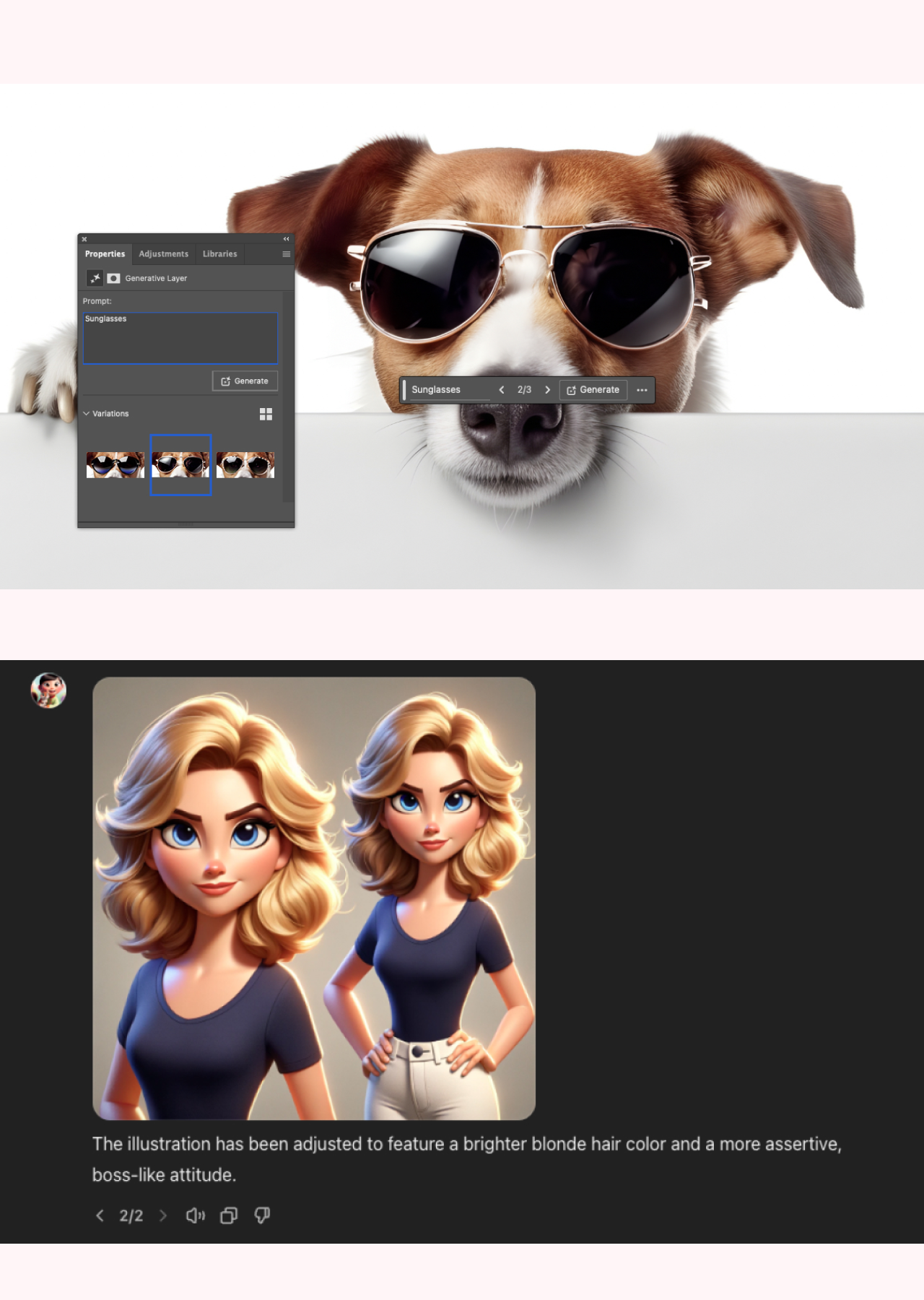
Until some time ago, AI tools were considered insufficiently sophisticated and too superficial for the preparation of quality products in the field of design. In the last good year, however, technology has advanced so far that many Internet users of illustrations, pictures and graphics prepared by artificial intelligence (AI), can no longer distinguish from real.
The data from Hootsuite research is interesting, which states that just 62 % people says they are less likely to interact with content generated by AI than if it were human-generated. At the same time, 67 % same people says that basically they cannot distinguish well at all if the images were generated by AI or “human designer".
As a result, we could say that the authenticity and impact of the graphics does not come so much from who or what created them, as the experience itself that the user receives. To improve the user experience, you must therefore know your user well and know their preferences, especially regarding hot topics such as generative artificial intelligence.
If you find that the content prepared by your prompts (commands) AI will be well received, then it is time for the next step: Selection the best tool for creating visuals with the help of AI. Discover the list of best design tools where AI can help you a lot:
Midjourney
Midjourney is probably the best known AI tool for creating realistic photos that only gets better with each upgrade, while maintaining a very easy-to-use interface. His products achieve exceptional results, which is why this tool comes in handy for design, even here at the ENKI agency.
For the time being, you need to have a Discord account to use it, but there are probably changes in the area of access. …
Dall-E
Within the most famous AI tool - Chat GPT we also find the integration of the Dall-E tool, which like Midjourney is used to create photos. Here, too, you can prepare various graphics very efficiently and with high quality, transform existing (loaded) graphics or change only certain elements. What sets it apart from Midjourney is the ability to choose from many GPT models created by other ChatGPT users. So you can access very specific micro design tools that specialize only in creating animated characters based on your photo and such.
Remove.bg
Remove your photo backgrounds fast, free and very easy. Of course, the tool works best on photos where the background is monochrome or less complex, but for a more precise crop, Photoshop is still the best choice, which allows for several methods of object selection that adapt to the specific situation.
Other tools on the market for viewing or designing photos are also rapidly adapting to AI technology, which means that many of them already enable some simpler functions, among others also delete background.
PiktID
AI tool, which is the fruit of a Slovenian-Austrian development team, shows exceptional results in the field of face anonymization. This means that the tool visually changes the faces of people in uploaded photos so that their identity can remain hidden. Such a function is especially useful when processing photos with children.
Its function also includes enhancement (increasing the quality) of photos, placing product photos in different environments and more. The tool is paid, but you can also try it for free.
Canva (Magic Studio)
In addition to the huge number of free templates that Canva offers to graphic designers (everything from graphics to video animations), Canva has also hit hard lately AI wave, named Canva Magic Studio.
This brings AI creation and editing of photos and texts within Canva, and it can also design and generate ready-made graphics and video content based on prompts (commands). At the same time, it enables reformatting, i.e. changing from one to another graphic format and translations with a single click. With it, it is possible to remove backgrounds, change simple graphics into 3D objects and much more...
Magic Studio is only available to paid Canva users, but it is possible to try it for free - upon registration you get something called Tokens that you can use to test the tool.
Adobe Firefly
Adobe Firefly is a tool designed to improve creative work processes. It allows users to create and modify content with simple text prompts, and it is currently found in some of the programs in the Adobe Creative Cloud library.
One of these is Photoshop, where Adobe Firefly allows you to create content, remove distracting elements, expand the image, change the background in a few steps and other functions. It allows converting text to vector graphics in Illustrator and converting text to image in InDesign. Recently, they also presented new options that are promising in the future in Adobe Premiere, which include, among other things, the generation or removal of elements in video content.
Let’s enhance.io
This tool can be used very effectively when you want to easily enlarge photos without losing their quality. qualities. When you sign up for the tool on their website, you can enlarge 10 photos for free, but after that, using the tool is no longer free.
Vectormagic
After generating a graphic in one of the photo and illustration generation tools, you can easily convert it to vector format with vectorizer.ai. The best tool does not work for simple illustrations, it has proven to be very effective on examples of logos, icons and similar graphics.
The listed tools are among the most popular and convenient among our designers at the time of writing this article (June 2024), and on the market, in addition to all the current ones, there is a new AI tools grow like mushrooms after the rain, so before choosing your favorites, carefully review the offer and test the products.
Let's
create
something great together
(or call: 01 620 3370)


